How to type the Apple logo symbol
Here’s how to enter the Apple logo with your devices.
Mac
To type the Apple symbol on your Mac, use the following keystroke combo:
Option (⌥)-Shift (⇧)-K
The shortcut works with the standard US English keyboard layout.
To visualize the Apple symbol’s placement on your Mac keyboard, choose the option Show Keyboard Viewer from the Input Source popover in macOS’s menu bar.
Alternatively, venture into System Preferences → Keyboard → Input Sources.
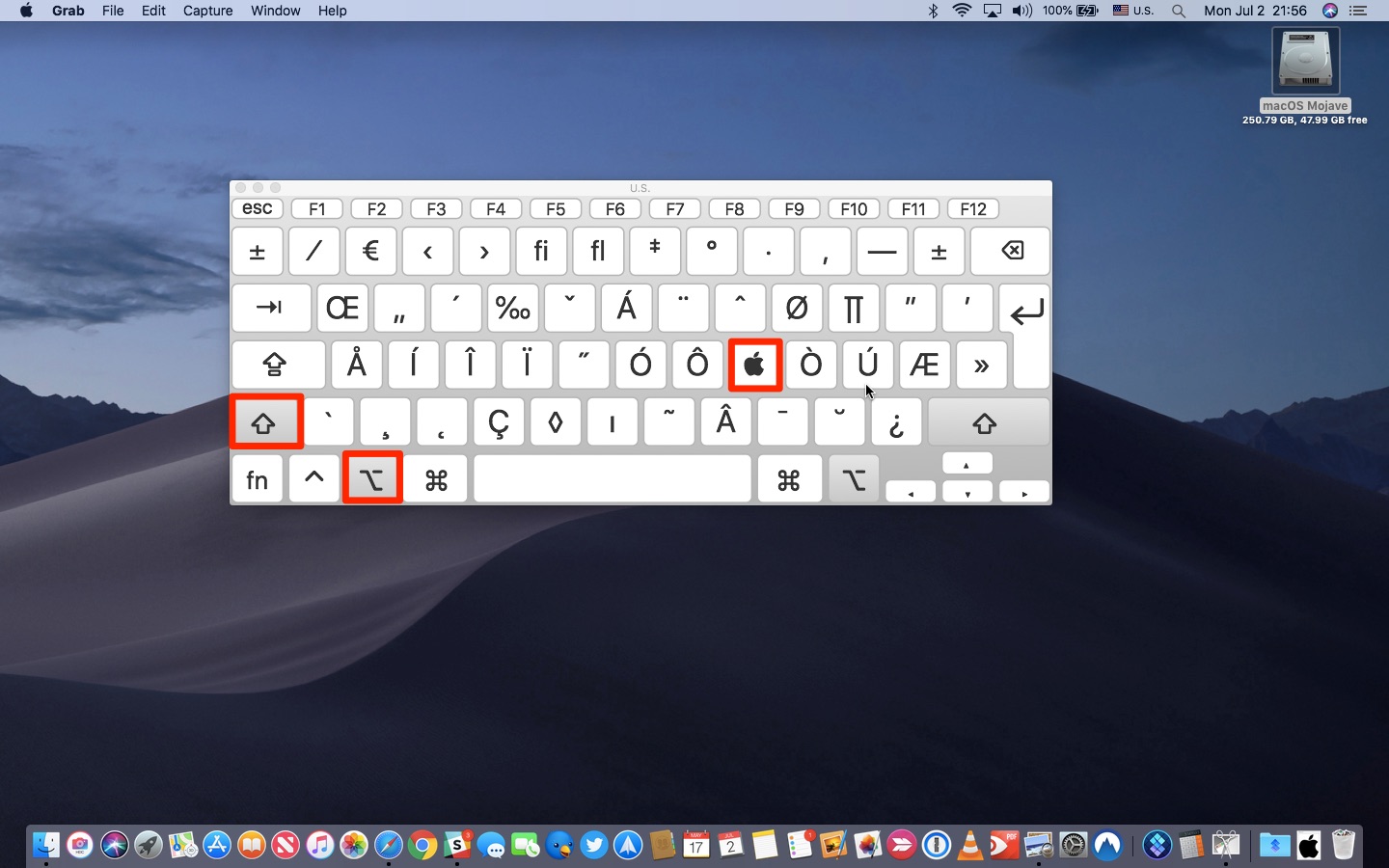
This is the keyboard shortcut that produces the Apple logo symbol
This lets you visualize key assignments for special symbols. To reveal additional hidden characters, press a modifier key like Control (⌃) or Command (⌘).
International users who rely on world keyboards that feature keyboard layouts that are different from the standard US QWERTY keyboard can add the US English layout via the Keyboard preference pane, then switch to it before entering the Apple logo symbol.
As a more elegant solution, create a custom text replacement as outlined further below.
iPhone and iPad
The Option (⌥)-Shift (⇧)-K Mac keyboard shortcut has no alternative on iOS.
There’s no Keyboard Viewer on iPhone, but iOS include a dedicated feature to make entering phrases and special symbols easier, called Text Replacements. Also found on macOS, this auto-replaces a word or a phrase with custom text, like replacing (c) with the copyright symbol.
You can leverage this feature to type the Apple logo on iOS, here’s how:
1) Open Settings on your iPhone or iPad.
2) Tap General.
3) Tap Keyboard.
4) Tap Text Replacement.
5) Hit “+“ in the top-right corner to create a new text replacement.
6) Copy from this post with your iOS device, then tap and hold next to Phrase and select Paste from the bubble menu to insert the Apple logo symbol.
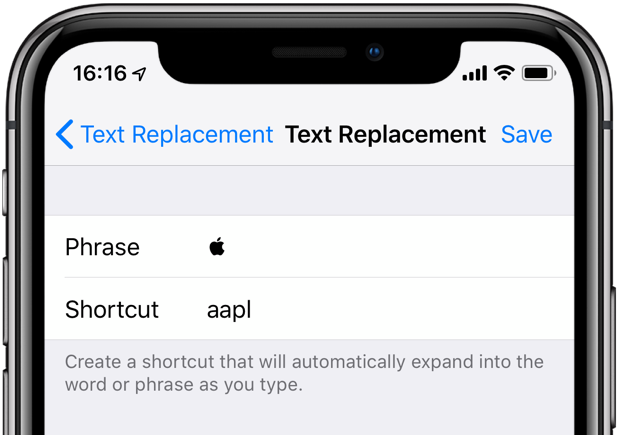
7) Tap next to Shortcut and create a custom text snippet to be replaced with the Apple logo. I use the shortcut “appl,” but you may choose a different shortcut that better suits your needs. To avoid triggering it by accident, come up with some unique letter combo that’s not part of any common word or phrase.
8) Tap Save in the top-right corner to finish making changes.
The newly created shortcut will automatically expand into the Apple logo symbol as you type.
TUTORIAL: How to create and use Text Replacements on iPhone and iPad
That’s right, now you can enter the Apple logo with your iOS device or Mac in your emails, texts, documents, notes and more—just hit the Space bar after typing the “aapl” shortcut to have it replaced with the Apple logo character.
This is a great feature!
The key benefit of this method is synchronization: your text replacements are kept in perfect sync across iOS and macOS via iCloud, letting you enter the Apple logo across iPhones, iPads and Macs using the same text shortcut.
If you pair a wireless Bluetooth keyboard with your iPhone and iPad, you can also enter the Apple logo symbol by pressing the same Option (⌥)-Shift (⇧)-K keystroke like on Mac.Jihosoft iPhone Backup Extractor Extract and recover all types of data from iPhone backup files, such as camera roll photos, videos, SMS, contacts, reminders, WhatsApp, and etc.
Gihosoft Free iPhone Data Recovery is a professional iPhone Data Recovery software to get back all your lost text message, photo, video, call history, note, contact and more from iPhone/iPad/iPod Touch.

Hiç yorum yok:
Yorum Gönder